
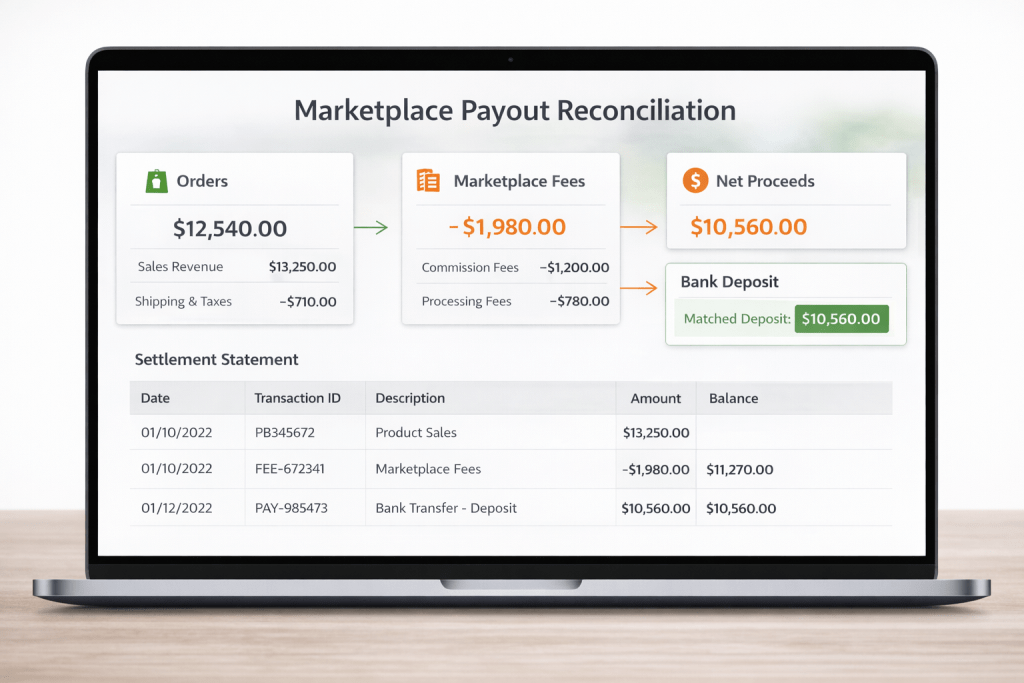
Learn marketplace payout reconciliation to match orders, fees, and bank deposits. Stop guessing profit—use a single truth layer today easily.
You’re not crazy—and your bank isn’t “missing money.” What’s happening is that revenue and payout are two different stories, told on different timelines, with different deductions.
That’s why sellers run into this every week:
- Seller Central (or your marketplace portal) shows strong sales
- Your analytics tool shows a different “profit”
- Your bank deposit is lower (sometimes much lower)
This post gives you a merchant-friendly, repeatable marketplace payout reconciliation framework so you can answer one question fast:
“Where did the money go?”
And here’s the rule we live by:
If your dashboard can’t explain a payout difference, it’s not a dashboard—it’s a chart.
Why your marketplace numbers don’t match your bank account
Most payout confusion comes from three realities:
1) Revenue ≠ profit (and profit ≠ cash)
A single order can trigger multiple line items that don’t appear “at the same time,” including:
- marketplace selling fees (referral/commission)
- fulfillment fees (FBA/3PL/warehouse handling)
- refunds and return-related fees
- storage fees
- advertising spend and deductions
- reimbursements (often delayed)
- reserves/holds (timing-based, policy-based)
Amazon even provides separate tools to estimate selling fees and costs—useful, but still not the same thing as what actually settles into your bank. (sell.amazon.com)
2) Timing differences are normal
Most marketplaces operate on settlement periods. A sale today may appear in “orders,” but the related refund/fee/adjustment can land in a later statement—so your bank deposit will never equal “today’s sales.”
Amazon, for example, lets you pull transaction and settlement reports tied to specific settlement periods in Seller Central. (pay.amazon.com)
3) Your data is fragmented across “domains”
Sellers usually track “sales” in one place and “money” in another. The gap lives in the middle:
- order events
- fee events
- payout/settlement events
To reconcile cleanly, you need a process that connects those domains.
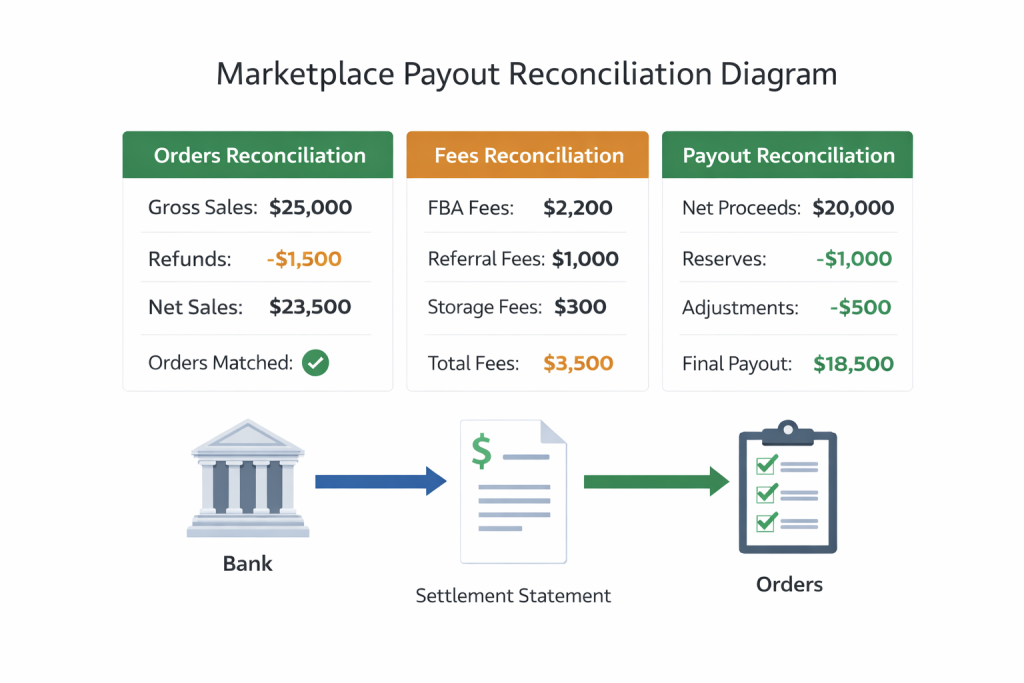
The 3 reconciliations every seller needs (orders, fees, payouts)
If you only do one thing after reading this, do this:
Reconciliation #1: Orders reconciliation (Did we ship what we sold?)
Goal: Confirm your operational truth.
Check:
- gross sales by day (order date)
- cancellations
- returns initiated vs completed
- replacements (these distort “units” vs “money”)
Merchant tip: Don’t start with profit. Start with: Do we trust the order counts and statuses?
Reconciliation #2: Fees reconciliation (What did the marketplace charge us?)
Goal: Explain margin drift.
Typical “profit killers” merchants miss:
- category fee mismatches
- dimensional/weight changes that alter fulfillment fees
- return-related fees charged later
- storage fees that hit regardless of current sales velocity
Use marketplace fee calculators/estimators for a sanity check, but reconcile against what’s actually charged in statements for the period. (sell.amazon.com)
Reconciliation #3: Payout reconciliation (Why is the deposit different?)
Goal: Match statement → bank.
You need to tie:
- statement net proceeds
- reserves/holds
- prior period carryovers
- adjustments (good and bad)
On Amazon, settlement/statement reports are the “bank-grade layer” you can use to troubleshoot deposits and trace IDs. (pay.amazon.com)
A simple payout reconciliation framework
Use this as your weekly workflow (30–60 minutes once you have it set up):
Step 1: Pick one settlement period
Don’t reconcile “month-to-date” first. Start with one closed period.
Step 2: Export three datasets
Minimum set:
- Orders (your OMS or marketplace orders export)
- Fees/financial events (statement lines / financial events)
- Bank deposits (your bank transactions)
If you’re pulling Amazon data via API, the SP-API Finances API is designed to retrieve financial events and event groups that make up settlements. (developer-docs.amazon.com)
Step 3: Normalize IDs and timestamps
Create consistent columns:
- order_id
- transaction_type (sale, refund, fee, adjustment, reimbursement)
- posted_date (statement date)
- amount
- currency
- marketplace
Step 4: Reconcile from the bottom up (bank → statement → orders)
This is the order that reduces headaches:
- Bank deposit total (what you received)
- Match to statement net (what marketplace said they paid)
- Explain differences with:
- reserves/holds
- adjustments
- prior-period corrections
Only after that do you fan out to “which SKUs caused it.”
Step 5: Turn unknowns into categories (so they don’t stay unknown)
Every unmatched line should become one of these buckets:
- Fees
- Refunds/returns
- Ads
- Storage
- Reimbursements
- Holds/reserves
- Other adjustments
Once bucketed, you can act:
- fix listing/fee category issues
- reduce return rate or tighten QC
- adjust ad targets and attribution expectations
(One more timing trap: ad reporting often uses an attribution window; Amazon Attribution uses a 14-day, last-touch model, which can make “ad impact” and “cash impact” look misaligned in short windows.) (advertising.amazon.com)
What “good” looks like (the outcome merchants want)
After you implement this, you should be able to answer—in minutes:
- “Why was this payout lower than last payout?”
- “Are we profitable per SKU, or just high-revenue?”
- “Are refunds or fees the main leak?”
- “Which marketplace is funding growth—and which one is draining cash?”
That’s not just reporting. That’s control.
How DataDash helps (profit-truth layer, not another chart)
Most tools show you graphs. DataDash is built to help you explain the money.
DataDash unifies your marketplace analytics—sales, returns, inventory, and integrations—and adds the layer sellers actually need: real-time profitability (COGS + net profit per SKU and marketplace), plus returns/refund analysis and forecasting for smarter inventory decisions.
It’s also white-labeled and customizable, so it fits your workflows instead of forcing you into someone else’s template.
What’s your biggest “where did the money go?” line item right now—fees or refunds?
If you’re tired of end-of-month guesswork and want a system that reconciles orders, fees, and payouts into one profit truth layer, we can help.