

If you run a Shopify store, “summer” can feel quieter until it suddenly isn’t. Back-to-school season tends to bring a predictable surge in traffic, orders, returns, and customer questions. The best time to get ready is before the rush, while you still have the bandwidth to make careful operational improvements.
This guide will help you prepare your Shopify store for back to school by using the summer slowdown to audit systems, fix weak points, and ensure your operations are stable when order volume spikes.
Why summer is the best time to fix operational issues
Lower pressure means better decisions
When orders are steady (not exploding), you can make changes without constantly firefighting. That matters because most operational problems- overselling, delayed fulfillment updates, broken automations that aren’t caused by one big failure. They come from small gaps that compound under pressure.
Summer gives you room to:
- Evaluate changes calmly
- Test and roll back safely if needed
- Train your team before peak demand hits
Time to audit your workflows
Peak season exposes messy workflows quickly. Summer is your chance to map what actually happens end-to-end, not what you think happens.
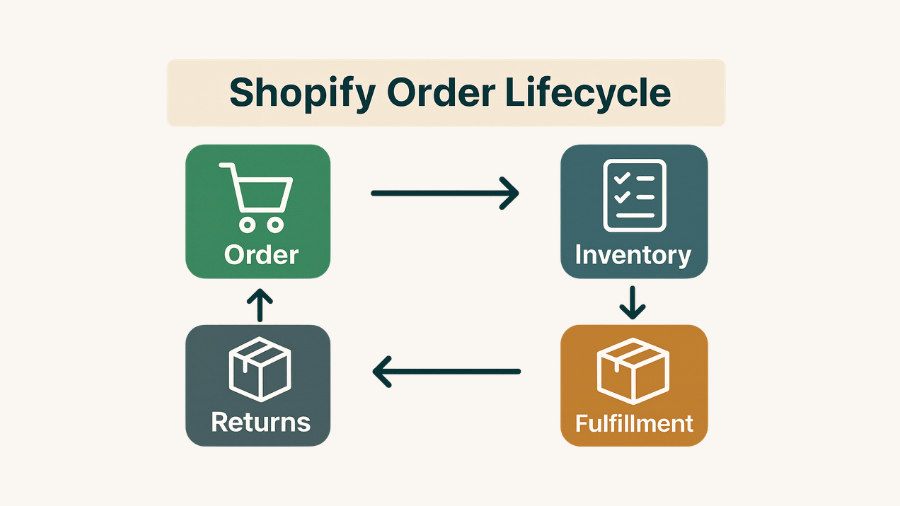
A simple workflow audit looks like:
- Customer places order
- Inventory decrements (Shopify + any connected channels)
- Fulfillment route is chosen (warehouse, 3PL, FBA, dropship)
- Shipping info and tracking flows back to Shopify
- Customer receives status updates
- Returns/refunds are handled cleanly
If any step is unclear, manual, or inconsistent, that’s your warning sign.
Prepare before order volume increases
Back-to-school isn’t just “more orders.” It’s more of everything:
- More inventory movement
- More customer support tickets
- More edge cases (split shipments, partial refunds, address issues)
- More urgency (customers want items before school starts)
That’s why ecommerce peak season preparation is less about marketing and more about operational readiness.
What Shopify merchants should review before peak season
Think of this section as your Shopify back-to-school checklist for operations the systems that need to work even when you’re busy.
Inventory sync reliability
Inventory errors are one of the fastest ways to lose money and trust during peak season.
Check:
- Is inventory synced across Shopify + marketplaces accurately?
- How often does it sync?
- What happens when a SKU is updated, discontinued, or bundled?
- Do you have a clear source of truth?
Order management workflows
Order routing issues show up as late shipments, cancellations, and time wasted.
Review:
- How orders are tagged, routed, and prioritized
- Whether high-risk orders (fraud flags, address issues) have a clear process
- How exceptions are handled (backorders, substitutions, split shipments)
Fulfillment visibility
If you can’t quickly answer “Where is this order?” your team will get swamped.
Confirm you can reliably see:
- Fulfillment status
- Tracking numbers
- Carrier and ship method details
- Delays and exceptions (label created but not scanned, etc.)
Marketplace connections
If you sell beyond Shopify especially on Amazon your marketplace connections should be tested under realistic conditions.
Ask:
- Does inventory update fast enough to prevent oversells?
- Do orders import cleanly (including item metadata)?
- Do cancellations/refunds propagate correctly?
- Are SKU mappings consistent?
How to spot weak points in your current tool stack

Manual processes that still slow you down
If a task requires a person to copy/paste data between systems, it will break under peak volume.
Common examples:
- Manually adjusting stock for bundles or multi-packs
- Copying tracking numbers into Shopify
- Re-tagging orders to trigger routing rules
- Fixing SKU mismatches one-by-one
Those are prime targets for summer cleanup.
Delayed syncs and stock mismatches
Delayed syncs become expensive during peak season because they create:
- Overselling
- Stockouts that aren’t real
- Emergency customer service work
- Rush shipping costs to “make it right”
Look for warning signs like:
- Frequent “negative inventory” moments
- Marketplace stock not matching Shopify
- Orders arriving for items you thought were out of stock
Tools you installed but never fully tested
Many stores accumulate apps that were installed in a hurry, then left half-configured.
Do a quick app stack review:
- What is each app responsible for?
- Is it still needed?
- Is it configured correctly?
- Do you know how to troubleshoot it?
If you can’t confidently answer those, peak season will force you to learn the hard way.
Why back-to-school preparation should include support checks
Your tools aren’t just features, they’re dependencies. In peak season, support quality becomes part of your operations.
Can you reach support quickly?
Test it now, not during a crisis:
- Open a support ticket
- See how long first response takes
- Check if support is knowledgeable or just scripted
Do they help with setup and edge cases?
Back-to-school stress often comes from edge cases, not normal flows.
Evaluate whether support can help with:
- SKU mapping complexity
- Multi-location inventory
- Marketplace-specific rules
- Partial cancellations, refunds, and replacements
Will they be there when volumes rise?
If a tool is mission-critical for inventory/order sync, the real question is: will support still respond quickly when everyone is busy?
Summer is the best time to verify responsiveness and build confidence in your operational backbone.
A simple summer checklist for operational readiness
Use this as your Shopify store summer planning checklist so you’re not scrambling later.
Test inventory sync
- Pick 10–20 key SKUs
- Update quantities deliberately
- Confirm updates appear correctly across all channels
- Log how long it takes and what fails
Review order flows
- Place test orders (or simulate them)
- Confirm routing, tags, and fulfillment rules behave as expected
- Verify cancellations, refunds, and returns procedures
Confirm team responsibilities
Peak season fails when ownership is unclear.
Write down:
- Who monitors inventory accuracy
- Who owns marketplace issues
- Who handles fulfillment exceptions
- Who contacts app support (and what info they provide)
Contact app support before peak season
Ask proactive questions now:
- “What are the most common back-to-school failure modes you see?”
- “How should we configure settings for higher volume?”
- “What logs/screenshots help you troubleshoot fastest?”
- “Do you have a pre-peak checklist?”
Final Step: Stress-Test Your Stack While It’s Quiet
Before back-to-school demand picks up, use the summer to pressure-test your workflows; inventory updates, order routing, fulfillment confirmations, and tracking sync, so small issues don’t become costly fire drills when volume spikes. Just as important, make sure the tools connecting Amazon and Shopify come with reliable support you can count on during peak season: fast response times, clear setup guidance, and help with real-world edge cases like SKU mapping, delayed syncs, partial cancellations, refunds, and split shipments. If you’re syncing Amazon and Shopify, choose tools (like ToolE Amazon Easy Sync) that are built for operational stability and confirm support coverage and escalation paths before the rush hits.