

Estimated read time: 4–6 minutes
In e-commerce, time is your most expensive inventory.
If you’re spending hours every week on repetitive “ops work” (copy-pasting, reconciling, updating stock, chasing tracking numbers), you’re not scaling—you’re keeping the machine from breaking.
The fix usually isn’t “hire another person.” It’s remove the manual steps with simple automation and better structure.
Below are the five most common weekly time-eaters we see in multichannel selling—plus one practical way to start for each.
Quick “Weekly Time Audit” (30 seconds)
Which one feels most true right now?
- Listings: “We keep redoing product data / variants / attributes.”
- Orders: “We touch too many orders by hand (exceptions, cancellations, tracking).”
- Inventory: “Stock never matches; we oversell or keep safety buffers that kill sales.”
- Fees & reconciliation: “Payouts don’t match; month-end is a spreadsheet marathon.”
- Returns: “Returns create support chaos and slow refunds.”
Pick your biggest pain and start there. Automation works best when you remove one bottleneck at a time.
1) Listings (Product Data): Stop Rebuilding the Same Listing 10 Times
The manual pain:
Uploading and fixing listings across channels becomes a loop: wrong attributes, variant mismatches, inconsistent titles, missing images, failed category mappings—then you repeat the work again next week.
The automation solution:
Create a single product data standard (a simple “source of truth” structure) and push consistent data outward—rather than formatting each channel manually.
How to start (simple and fast):
Standardize SKUs (and barcode rules) so every channel refers to the same item consistently.
1. Build a channel-ready template: title formula, image rules, attribute naming, variant structure.
2. Decide where product truth lives (often Shopify, sometimes PIM for larger catalogs).
3. Document 10 “non-negotiables” (e.g., required attributes, naming conventions, image count).
Quick win: If you fix SKU/variant consistency first, every other automation (orders + inventory) becomes easier.
2) Orders: Reduce “Order Touches” with Rules, Not Hustle
The manual pain:
Manually checking orders, chasing exceptions, re-keying addresses, handling cancellations, and updating tracking across platforms is operational friction—and it grows linearly with volume.
The automation solution:
Use an order workflow that’s designed for reality: exceptions happen. Your system should handle the routine and flag only what needs a human.
How to start:
Define your order statuses clearly: Paid → Ready → Fulfilled → Shipped → Delivered (plus exception states).
1. Add routing rules (who fulfills what) based on SKU, location, warehouse/3PL, shipping speed.
2. Automate “send tracking + mark fulfilled” when labels are created.
3. Create an exception list: cancellation requests, address changes, out-of-stock items.
Quick win: Track a metric called “touches per order.” If you can cut even 1 touch/order, you save hours every week.
3) Inventory: The #1 Weekly Fire Drill (and the Most Profitable Fix)
The manual pain:
Logging into multiple platforms to adjust stock is slow and error-prone. The result is predictable:
- oversells (refunds + angry customers)
- undersells (excess buffers that suppress revenue)
- “mystery stock” (numbers never match, no one trusts the data)
The automation solution:
Set a single source of truth for available inventory, then sync outward with clear rules (including buffers and bundles/variants).
How to start:
Choose your inventory source of truth (commonly Shopify for many merchants).
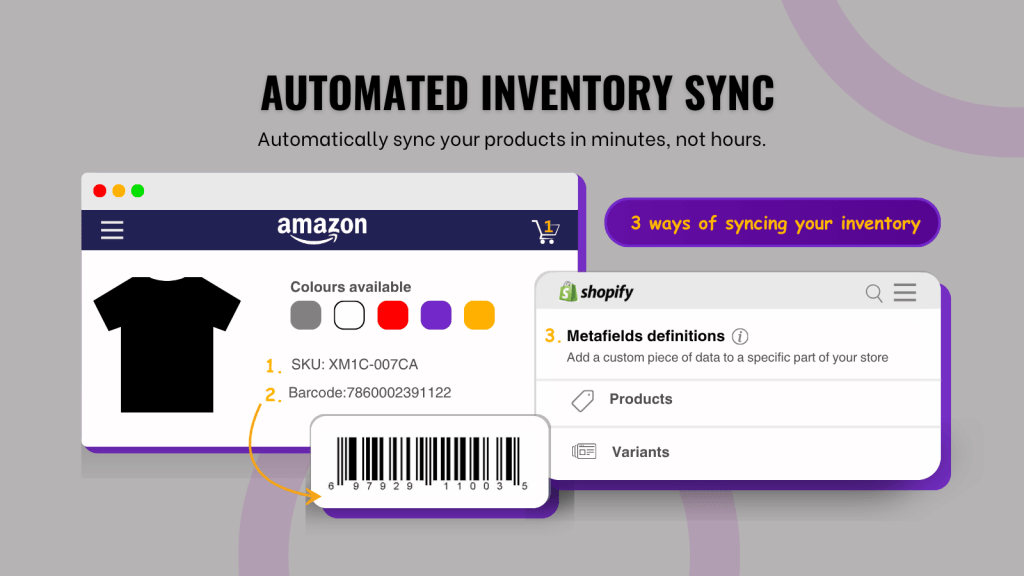
Ensure SKU mapping is correct across channels (this is where most “sync” projects fail).
1. Set buffer rules (e.g., keep 2–5 units reserved to protect against timing delays).
2. Turn on automated sync for stock changes (sales, refunds, restocks).
Where ToolE fits (Amazon and Temu sellers on Shopify):
If Temu is part of your stack, ToolE Temu Easy Sync is designed to reduce this exact weekly pain by syncing key product/order signals between Shopify → Temu, so inventory and orders don’t become a daily spreadsheet job.
App: https://apps.shopify.com/temu-easy-sync
→Temu seller guide (if you’re starting)
If you’re connecting Shopify → Amazon, you can also check out ToolE Amazon Easy Sync here:
App: https://apps.shopify.com/amazon-easy-tool
→ Shopify – Amazon seller guide (if you’re using the integration app)
4) Fees & Reconciliation: Stop Letting Payouts Steal Your Weekends
The manual pain:
Payouts rarely match “orders total.” You’re dealing with:
• marketplace fees
• shipping adjustments
• refunds/partial refunds
• promo subsidies
• chargebacks/disputes
…and it turns into a month-end spreadsheet marathon.
The automation solution:
Reconcile by payout period (not by “order list”) and auto-categorize common fee types so only exceptions require review.
How to start:
Reconcile on the marketplace payout schedule (daily/weekly/biweekly).
- Standardize categories: Revenue, Shipping, Tax, Marketplace fees, Refunds, Adjustments.
- Create an “exceptions” bucket for anything that doesn’t match a known pattern.
- Schedule a consistent cadence (weekly beats monthly every time).
Quick win: A simple weekly reconciliation rhythm beats a perfect month-end process you never finish.
5) Returns: Automate the Boring Parts (So You Can Handle the Real Issues)
The manual pain:
Returns generate repetitive tickets: “Where do I send it?”, “Did you receive it?”, “When is my refund?” If status updates don’t flow automatically, support load spikes.
The automation solution:
Standardize return rules + automate status notifications, so customers aren’t emailing you for basic updates.
How to start:
1. Define return reasons + policies clearly (and make them easy to find).
2. Automate return status updates (requested → received → refunded).
3. Create templates for the top questions (label instructions, timelines, refund method).
4. Decide refund triggers (e.g., refund on scan vs refund on arrival).
Quick win: Make returns predictable. Predictability reduces tickets.
Final Thoughts: The Automation Mindset
The biggest barrier to automation isn’t technology—it’s mindset.
Most sellers try to “automate everything” and end up overwhelmed. The merchants who win do something simpler:
1. Start with the most repetitive weekly task (the one you dread).
2. Standardize inputs (SKUs, statuses, templates, naming conventions).
3. Automate the repeatable steps (sync, rules, notifications).
4. Design for exceptions (because real operations always have edge cases).
When you approach operations like this, you don’t just save time—you build a system that can scale with your order volume, SKU count, and number of sales channels.
If you’re selling across marketplaces (including Shopify, Temu and Amazon), automation is how you protect margins, reduce errors, and stay focused on growth.
Ready to Automate?
If you want help identifying what to automate first—or setting up the right workflow for your store—we can help.
Contact ToolE:
Contact us: contact form
→Email: [email protected]
If you’re connecting Shopify → Amazon, you can also check out ToolE Amazon Easy Sync
And if you’re connecting Shopify → Temu, you can also check out ToolE Temu Easy Sync